Open Source · Windows / macOS / LinuxMã nguồn mở · Windows / macOS / Linux
Claude Hub
A cross-platform dashboard for managing multiple Claude Code sessions in parallel on Windows, macOS, and Linux. Real PTY terminals piped to xterm.js — the actual interactive TUI, not a fake chat wrapper.
Dashboard đa nền tảng cho phép quản lý nhiều phiên Claude Code song song trên Windows, macOS và Linux. Terminal PTY thực, pipe qua xterm.js — TUI tương tác thật, không phải chat giả.
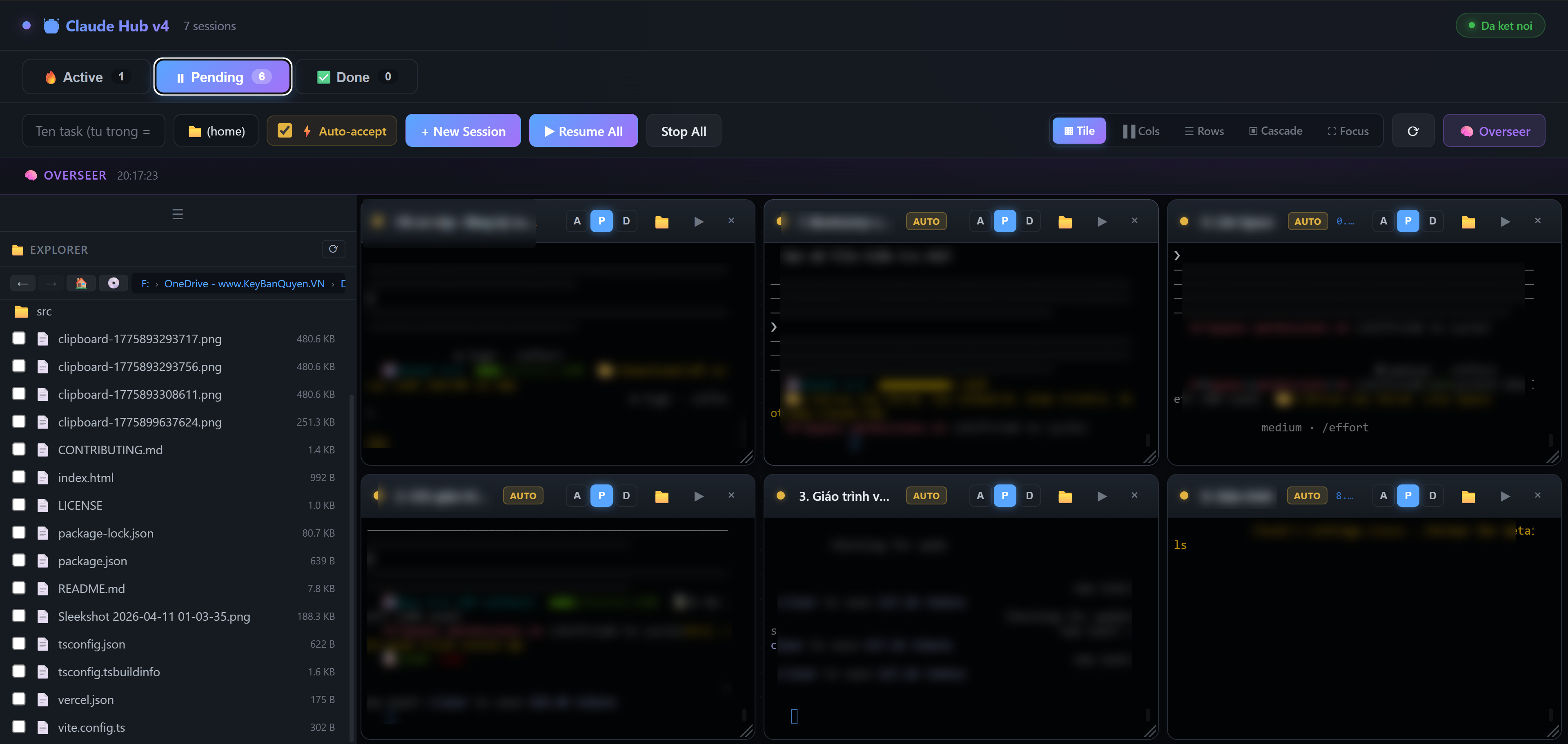
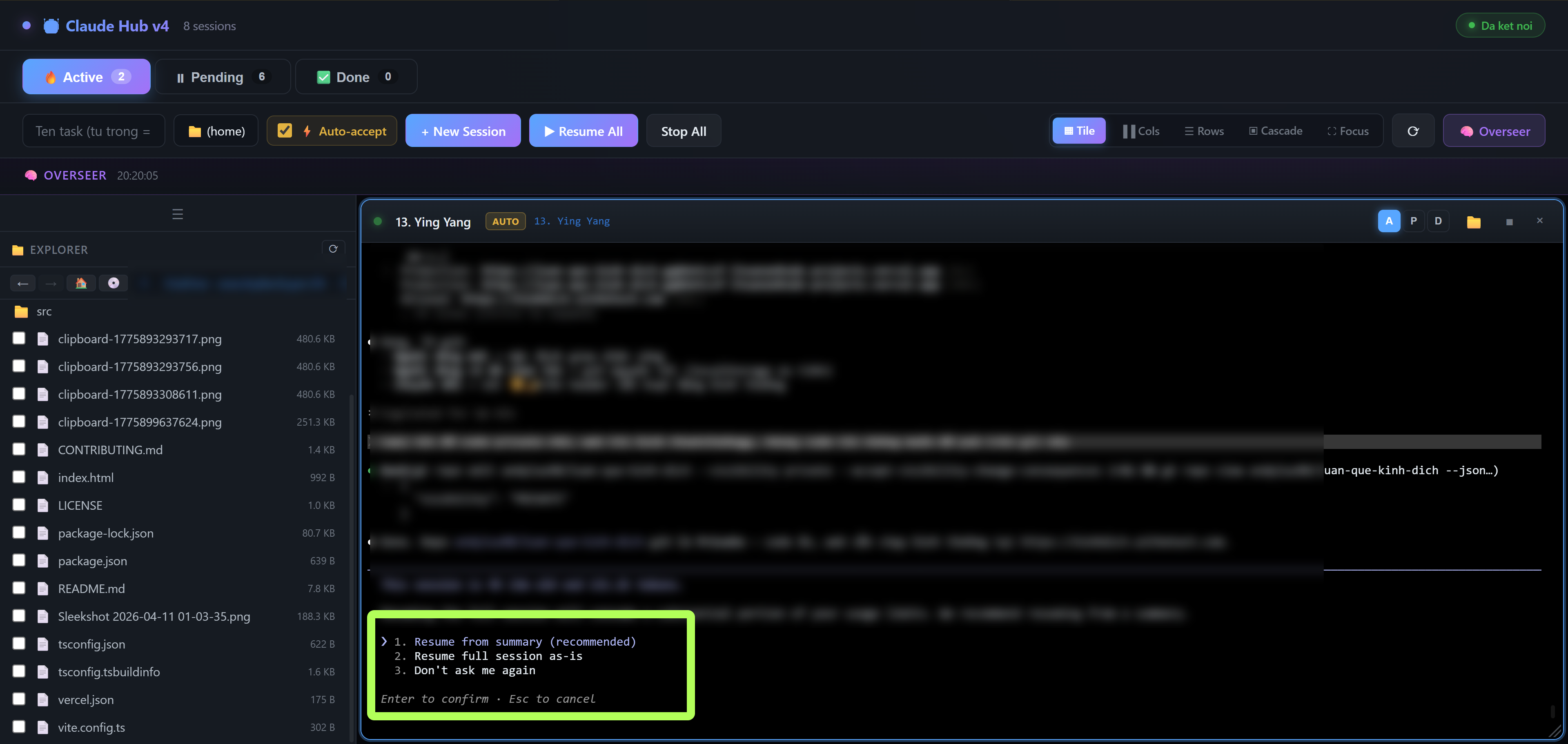
Multiple Claude Code sessions running side by side with real terminal renderingNhiều phiên Claude Code chạy song song với terminal thật
localhost:8765
Multi-session tile layout with 7 parallel Claude agents
Why Claude HubTại Sao Chọn Claude Hub
Built for Power UsersDành Cho Người Dùng Chuyên Nghiệp
Not just another wrapper. Claude Hub gives you real terminal power multiplied.Không chỉ là một wrapper khác. Claude Hub mang lại sức mạnh terminal thật sự.
Real TerminalsTerminal Thật
Each session runs the real claude binary via node-pty. Full color rendering, interactive prompts, and genuine TUI — not simulated output.Mỗi session chạy binary claude thật qua node-pty. Render màu đầy đủ, prompt tương tác, và TUI nguyên bản — không giả lập.
Multi-SessionĐa Phiên
Run 7+ Claude Code agents simultaneously. Tile, cascade, or focus layouts. Drag, resize, and organize your sessions freely.Chạy 7+ agent Claude Code đồng thời. Bố cục tile, cascade, hoặc focus. Kéo, resize, tổ chức session tự do.
Cross-PlatformĐa Nền Tảng
Runs natively on Windows (ConPTY), macOS, and Linux. No WSL needed, no Docker, no VMs. Just clone, install, and run.Chạy native trên Windows (ConPTY), macOS và Linux. Không cần WSL, Docker, hay VM. Chỉ clone, install, và chạy.
FeaturesTính Năng
Everything You NeedMọi Thứ Bạn Cần
A complete toolkit for running multiple Claude Code agents side by sideBộ công cụ hoàn chỉnh để chạy nhiều agent Claude Code cùng lúc
Real PTY TerminalsTerminal PTY Thực
Each session spawns a real claude process (claude.exe on Windows) via node-pty. Raw bytes pipe through WebSocket to xterm.js — full TUI rendering with colors, prompts, and interactive input.Mỗi session khởi tạo process claude thật (claude.exe trên Windows) qua node-pty. Byte thô pipe qua WebSocket tới xterm.js — render TUI đầy đủ với màu sắc, prompt, và input tương tác.
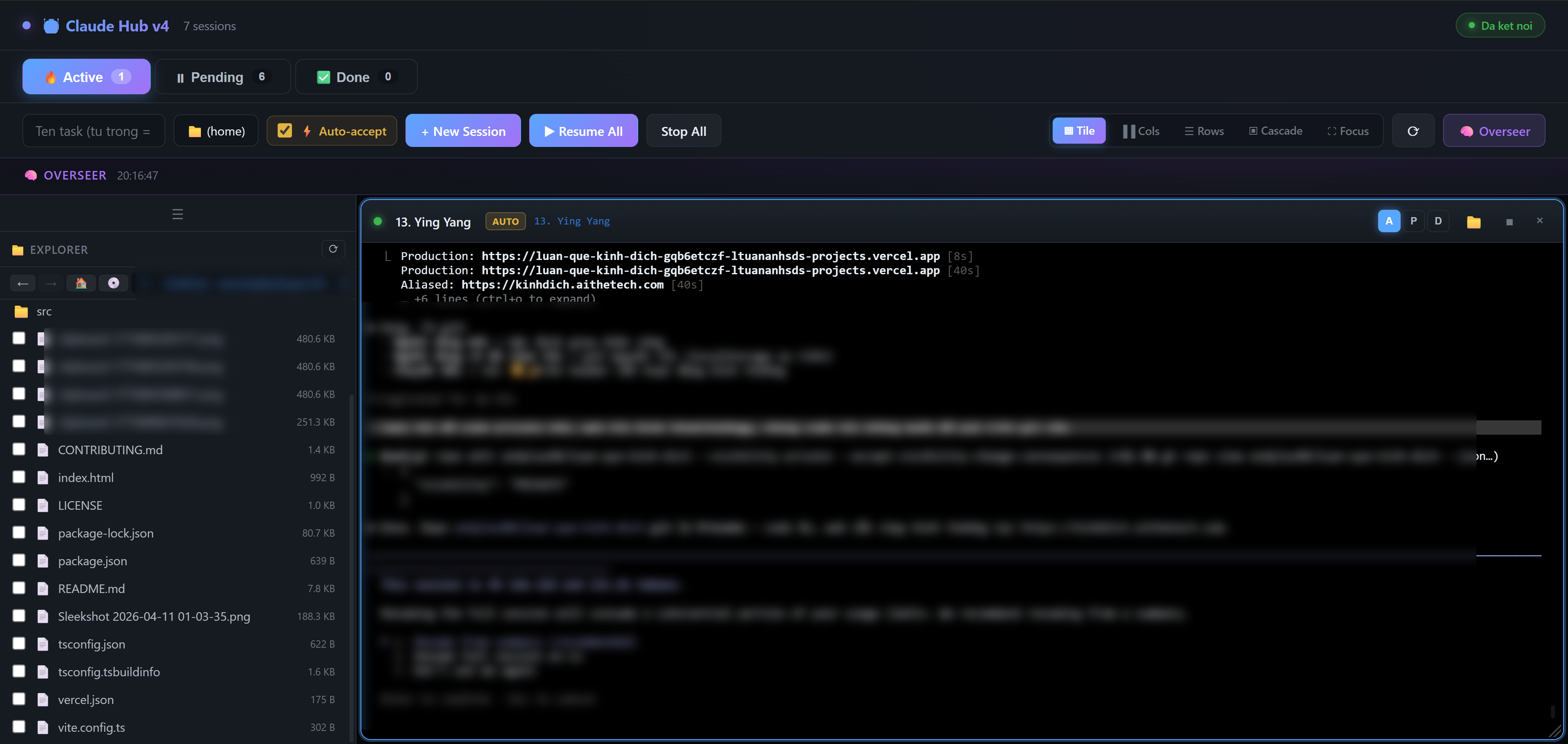
Organize sessions into three lanes. Move sessions between Active, Pending, and Done as your workflow progresses. Each lane shows session count.Tổ chức session thành 3 lane. Chuyển session giữa Active, Pending, Done theo tiến độ công việc. Mỗi lane hiển thị số lượng session.
Filesystem BrowserTrình Duyệt File
Built-in sidebar file explorer with navigation (back/forward/home), breadcrumb path bar, bookmarks, and recent paths. Create, rename, duplicate, delete files and folders via right-click context menu.File explorer tích hợp trong sidebar với điều hướng (back/forward/home), thanh breadcrumb, bookmark, và đường dẫn gần đây. Tạo, đổi tên, nhân bản, xóa file/folder qua menu chuột phải.
Persistent SessionsSession Lưu Trữ
Sessions survive page reloads and server restarts. Terminal scrollback (~50KB per session) is preserved. Resume stopped sessions with one click — pick up exactly where you left off.Session tồn tại qua reload trang và restart server. Scrollback terminal (~50KB mỗi session) được lưu lại. Resume session đã dừng chỉ 1 click — tiếp tục đúng nơi bạn dừng.
Copy & Paste in TerminalCopy & Paste trong Terminal
Ctrl+C copies selected text from terminal (sends SIGINT when no selection). Ctrl+V pastes text or images. Right-click and middle-click also paste. Shift+Enter for newline in Claude CLI.Ctrl+C copy văn bản đã chọn từ terminal (gửi SIGINT khi không có vùng chọn). Ctrl+V dán văn bản hoặc hình. Chuột phải và chuột giữa cũng dán. Shift+Enter để xuống dòng trong Claude CLI.
Clipboard Image PasteDán Hình từ Clipboard
Paste images directly from clipboard into the terminal. The image is auto-saved to a temp file and pushed into Claude's input as @filepath — perfect for sharing screenshots with Claude.Dán hình trực tiếp từ clipboard vào terminal. Hình được tự động lưu vào file tạm và gửi vào input của Claude dưới dạng @filepath — hoàn hảo để chia sẻ screenshot với Claude.
Drag & Drop FilesKéo & Thả File
Drag files from Windows Explorer (or the sidebar) directly into a terminal pane. File paths are auto-converted to @references and sent to Claude's input.Kéo file từ Windows Explorer (hoặc sidebar) trực tiếp vào terminal. Đường dẫn file tự động chuyển thành @reference và gửi vào input của Claude.
Overseer ModeChế Độ Overseer
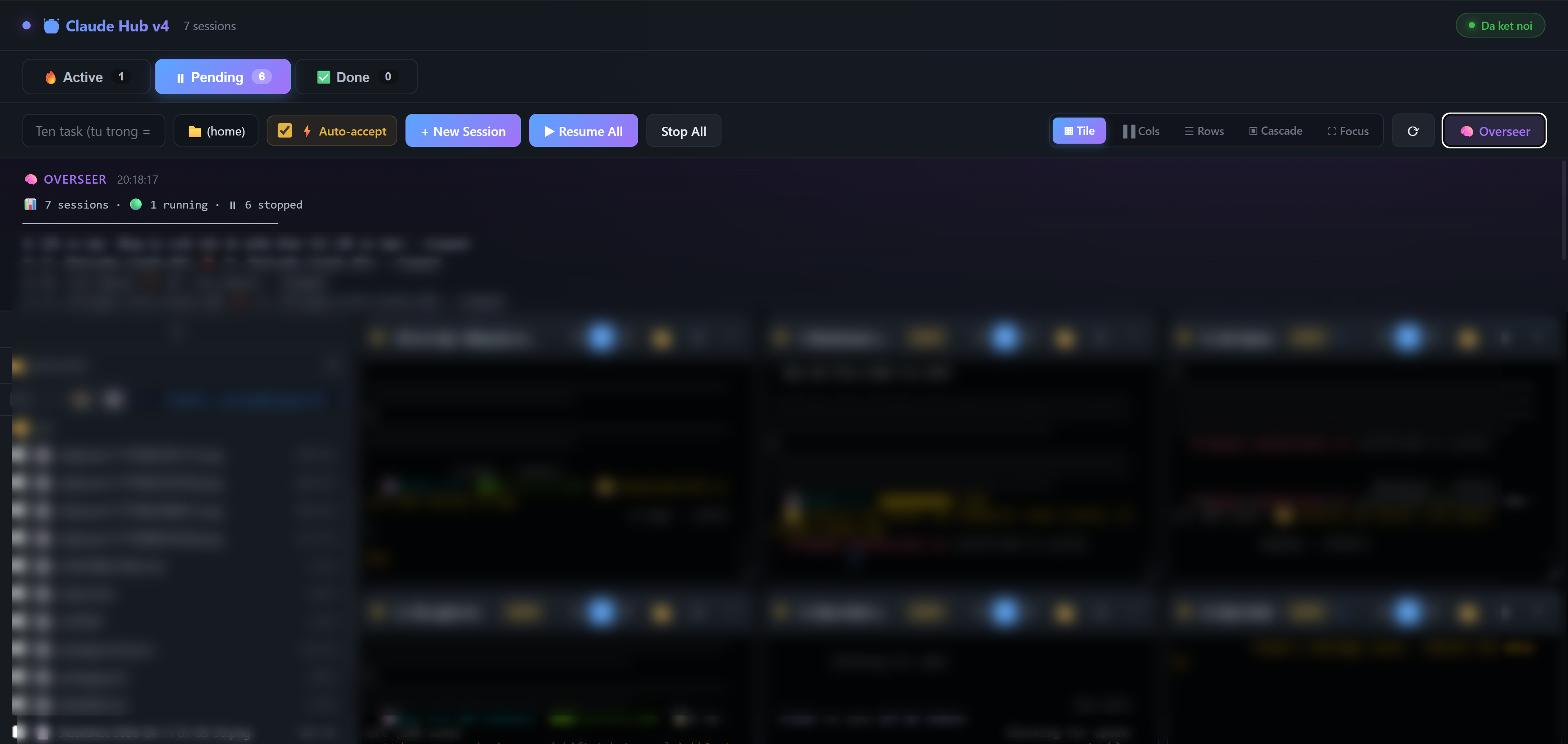
Monitor all running sessions from a single status panel. See session count, running/stopped status, and overseer rules at a glance. Auto-refreshes every 3 seconds.Giám sát tất cả session đang chạy từ 1 bảng trạng thái. Xem số lượng session, trạng thái running/stopped, và rule overseer. Tự động cập nhật mỗi 3 giây.
Flexible LayoutsBố Cục Linh Hoạt
Tile, Columns, Rows, Cascade, or Focus mode. Drag pane headers to reposition, resize from corners. Positions are saved to localStorage and restored on reload.Tile, Columns, Rows, Cascade, hoặc Focus mode. Kéo header để thay đổi vị trí, resize từ góc. Vị trí được lưu vào localStorage và khôi phục khi reload.
Auto-Accept ModeChế Độ Tự Động Chấp Nhận
Toggle auto-accept per session to run Claude with --dangerously-skip-permissions. Sessions show an AUTO badge when enabled. Use with caution on trusted directories only.Bật/tắt auto-accept từng session để chạy Claude với --dangerously-skip-permissions. Session hiển thị badge AUTO khi bật. Chỉ dùng trên thư mục tin cậy.
Bookmarks & Recent PathsBookmark & Đường Dẫn Gần Đây
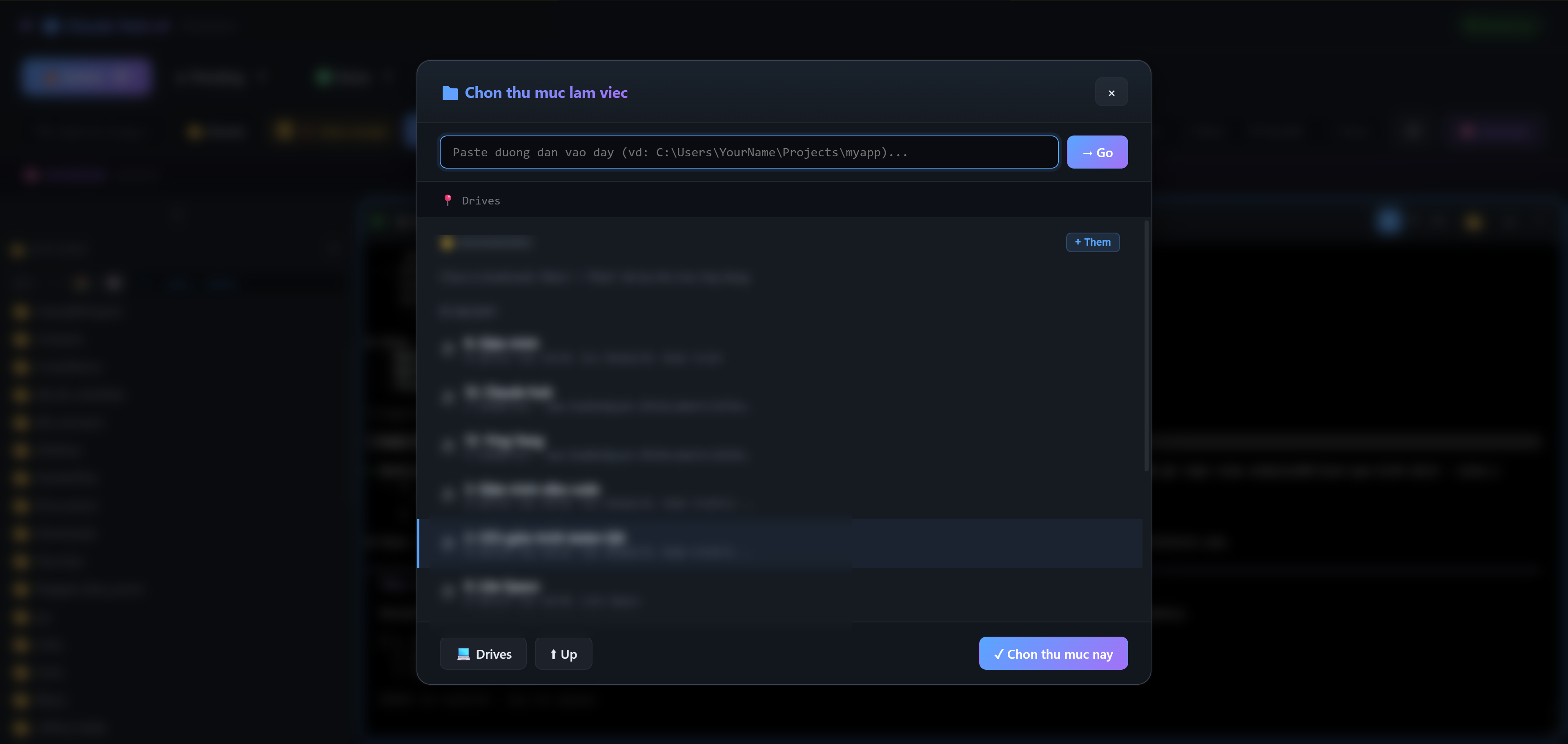
Save frequently used directories as bookmarks for quick access. Recent working directories are automatically tracked and shown in the folder picker.Lưu các thư mục hay dùng làm bookmark để truy cập nhanh. Các thư mục làm việc gần đây được tự động theo dõi và hiển thị trong folder picker.
Secure by DefaultBảo Mật Mặc Định
Binds to 127.0.0.1 only — no remote access. CSRF protection via Origin/Referer check. Path traversal and shell injection defenses built-in.Chỉ bind 127.0.0.1 — không truy cập từ xa. Chống CSRF qua kiểm tra Origin/Referer. Chống path traversal và shell injection tích hợp sẵn.
Quick StartBắt Đầu Nhanh
Up and Running in MinutesSẵn Sàng Trong Vài Phút
Four simple steps to start managing multiple Claude Code sessionsBốn bước đơn giản để bắt đầu quản lý nhiều phiên Claude Code
Browser auto-opens at http://localhost:8765Trình duyệt tự động mở tại http://localhost:8765
4
Create sessionsTạo session
Pick a working directory, click + New Session, and start coding with Claude.Chọn thư mục làm việc, nhấn + New Session, và bắt đầu code với Claude.
Tech StackCông Nghệ
Built WithXây Dựng Với
Modern, battle-tested technologies for reliability and performanceCông nghệ hiện đại, đã được kiểm chứng về độ tin cậy và hiệu suất
Node.js
Express
xterm.js
node-pty
WebSocket
ConPTY
ArchitectureKiến Trúc
How It WorksCách Hoạt Động
Simple, direct architecture with no unnecessary abstractionsKiến trúc đơn giản, trực tiếp, không có abstraction thừa
Browser (xterm.js)
|
| WebSocket (raw bytes)
v
Express Server (:8765, 127.0.0.1)
|
| node-pty (spawn)
v
claude binary x N sessions
|
| PTY I/O
v
Your codebase